ChatGPT Overview
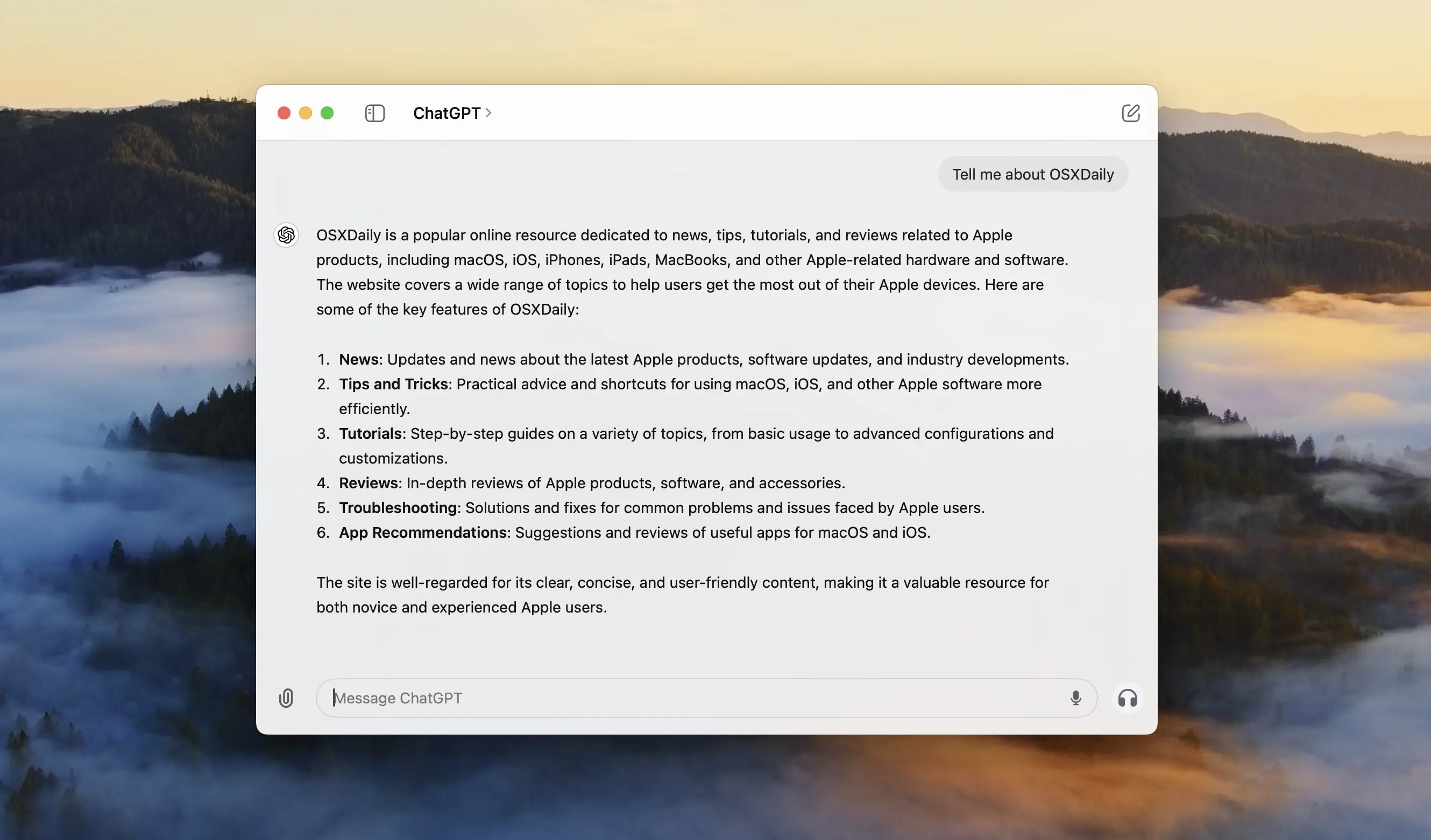
ChatGPT for Mac is OpenAI's official desktop app, bringing chat, voice conversations, and image generation to your menu bar. The desktop app now includes Codex, OpenAI's coding agent, directly inside the same application, along with ChatGPT Work for delegated business tasks. It can pull context from your email, screenshots, files, and anything currently on your screen. The free tier covers everyday use, while a Plus, Pro, or Business subscription unlocks more advanced models and higher usage limits. Since ChatGPT is one of the most cloned app names online, it's worth confirming you're downloading it directly from openai.com or the Mac App Store, not a third-party site claiming to offer it.
Why Choose ChatGPT for Mac
Most AI chat tools live only in a browser tab. The desktop app keeps ChatGPT one keyboard shortcut away, and it can see context from your screen, files, and screenshots without you manually copying and pasting anything in. That's a real difference if you're referencing a document, a spreadsheet, or something on screen while asking a question.
There's a safety detail worth knowing before you search for this app: ChatGPT is one of the most impersonated app names on the internet. Real user reports describe fake "ChatGPT" desktop clients circulating outside official channels, some clearly built to look legitimate. The only official sources are openai.com and the Mac App Store. Older third-party GitHub wrapper projects that predate OpenAI's own Mac app have also been explicitly deprecated by their own developers now that the official app exists, so it's worth avoiding those too.
Key Features
- Text chat with OpenAI's GPT models, from free to Pro-tier access
- Voice conversations powered by OpenAI's Whisper model
- Image generation directly from a chat prompt
- Codex, OpenAI's coding agent, built into the same desktop app
- ChatGPT Work for delegating business tasks
- Context awareness from email, files, screenshots, and your screen
- Memory features that carry context across conversations
- Sync across devices tied to your OpenAI account
- Menu bar access for quick questions without opening a browser
What's New in 26.727.40816 Version
Recent ChatGPT desktop updates focus on merging coding capabilities into the main app. Recent changes include:
- Codex integration, letting existing Codex app users open it directly inside ChatGPT
- ChatGPT Work for delegated, business-focused tasks
- Expanded context pulling from email, screenshots, and files
- Continued refinements to voice conversation quality
- Since OpenAI ships frequent updates to this app, checking the in-app update notes is the most reliable way to see exactly what changed in your version.
Supported macOS Versions
ChatGPT for Mac requires macOS 12 or later and is built for Apple Silicon Macs. Since the app now bundles Codex and handles context from files, screenshots, and your screen, a current macOS version helps ensure those permissions and integrations work as expected.
How to Install ChatGPT on macOS?
Setting up ChatGPT on your Mac takes just a few steps.
- Download the latest official version of ChatGPT for Mac.
- Open the downloaded installer file.
- Follow the on-screen instructions to complete installation.
- Launch ChatGPT from your Applications folder.
- Sign in or create a free OpenAI account to start chatting.
- Once signed in, you can start a conversation, use voice mode, or open Codex right away.
How to Use ChatGPT Mac?
- Open ChatGPT and sign in with your OpenAI account.
- Type a question, or use voice mode to talk instead of typing.
- Attach files or screenshots if you want ChatGPT to reference them directly.
- Open Codex from within the app if you need coding assistance.
- Use the menu bar icon for quick questions without switching windows.
Final Verdict
ChatGPT for Mac has grown well beyond a simple chat window, now bundling Codex, ChatGPT Work, and screen-aware context into one desktop app. Its free tier is genuinely useful on its own, while paid plans unlock deeper model access for heavier use. The biggest thing to get right is the source: with fake and outdated unofficial clients circulating under the ChatGPT name, downloading directly from OpenAI is the one step that matters most before anything else.
Download ChatGPT for Mac Latest Version
Ready to bring AI chat, voice, and coding assistance to your Mac's menu bar?
Download ChatGPT for Mac to chat, generate images, have voice conversations, and use Codex for coding, all from OpenAI's official desktop app. Whether you're drafting an email, referencing a file on screen, or handing off a coding task to Codex, ChatGPT for Mac keeps AI assistance one shortcut away.